Everything a background sync engine should be, none of the JS baggage
Sync runs 100% natively
The sync orchestrator, HTTP client, credential provider, and background scheduler live entirely in C++/Swift/Kotlin. No JS bundle, no JS thread, no headless task required.
Declarative schemas
Tables, indexes, relations, and sync contracts are plain TypeScript data, interpreted natively. No SQL to write, no codegen step for schema changes.
Automatic sync queue
Every INSERT/UPDATE/DELETE — including raw SQL — is captured by a SQLite trigger and queued for sync. You never call enqueue yourself.
Typed query builder
Drizzle-style select/insert/update/delete/transaction, fully typed from your schema via InferSelectModel/InferInsertModel.
Reactive hooks
useQuery and useInfiniteQuery subscribe to table changes and re-run automatically, no matter whether the write came from your code or the sync engine.
OAuth2 out of the box
Access/refresh tokens stored in Keychain (iOS) / Keystore (Android), refreshed natively — no token juggling in JS.
The sync engine never wakes the JS runtime
A background job wakes the native sync orchestrator directly — your app doesn't need to be open, and no JS thread ever spins up for it.
- SQLite + LRU statement cache
- Migration Engine (ADD COLUMN)
- Trigger Engine → sync_queue
- Sync Orchestrator
- Credential Provider (OAuth2)
- HTTP Client
- BGTaskScheduler / WorkManager — background scheduler
- NWPathMonitor / ConnectivityManager — network monitor
- Keychain / Keystore — secure token storage
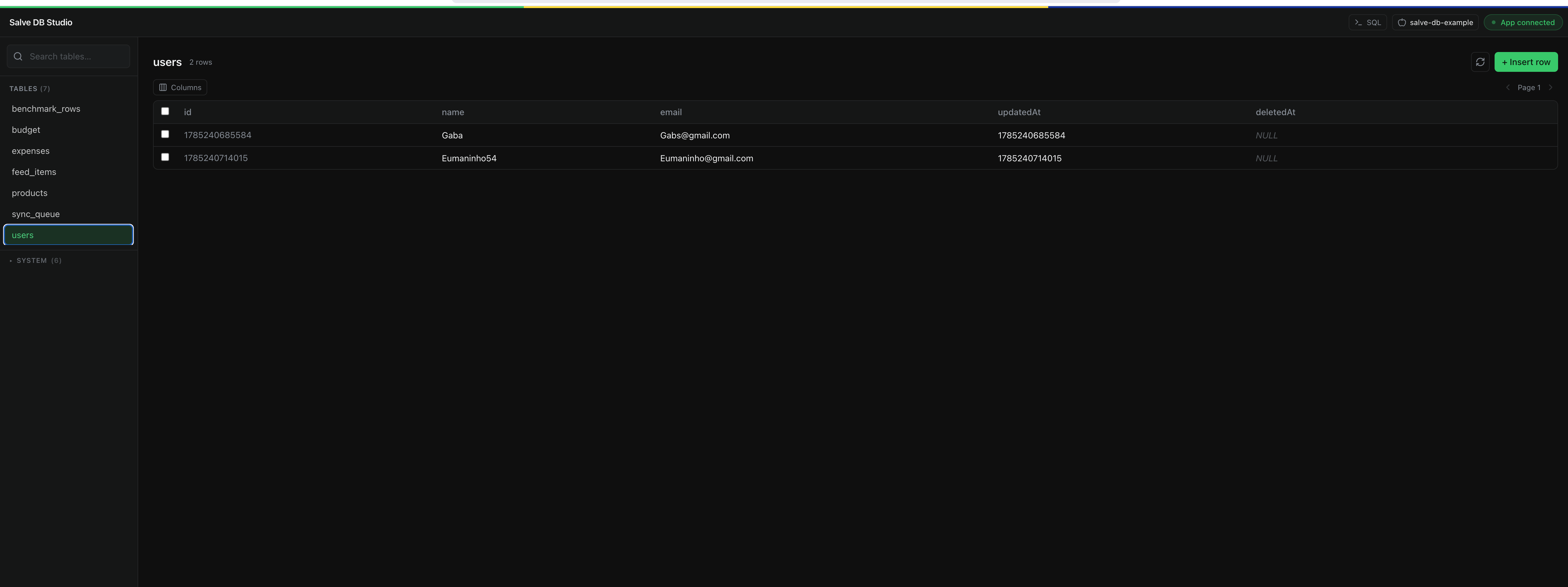
Salve DB Studio
Browse and edit your running app's database, live
A local, live-connected UI — Prisma/Drizzle Studio style — for the SQLite database inside your running app. No extra setup: your app auto-connects over WebSocket the moment you call Database.configure(...) in development.
- Browse every table, including internal sync-engine tables
- Insert, edit, and delete rows against the live device
- Run raw SQL against the running database
- Multiple devices/simulators, one device selector
Ready to go offline-first?
Declare a schema, wrap your app in SalveDbProvider, and you have typed queries, reactive hooks, and native background sync in minutes.